
Set Up Facebook Pixel & CAPI for Effective Ads
Facebook Ads, Tracking, Facebook Pixel Setup, Facebook CAPI
Why You Must Set Up Facebook Pixel and CAPI Before Running Any Facebook Ads
If you’re planning to spend real money on Facebook or Instagram ads without proper tracking, stop right now. As a senior software engineer who lives in data, I’ll put it bluntly: running Facebook ads without a Pixel and CAPI is like gambling. Running them with a Pixel and CAPI is marketing. One is luck; the other is a system you can measure, debug, and scale.
In 2026, Meta’s ad system is almost entirely AI-driven. Advantage+ campaigns, broad targeting, and automated bidding dominate. That AI only works if you feed it clean, consistent conversion data. That’s exactly what a solid Facebook Pixel setup plus Facebook CAPI (Conversions API) provides. Skip them, and you’re effectively telling the algorithm to guess in the dark.

Clean tracking data is the fuel Meta’s AI needs to drive cheaper, smarter ads.
What the Facebook (Meta) Pixel Is and How It Works
The Meta Pixel (often just called the Facebook Pixel) is a small JavaScript snippet you add to your website. Technically, it’s a client-side tracking script that:
Loads from Meta’s servers when a page loads
Drops or reads cookies in the user’s browser
Fires events like
PageView,Lead,AddToCart, orPurchaseback to Meta
Under the hood, the Pixel sends HTTP requests from the browser with hashed identifiers (like email or phone, if you pass them), device info, and event details. Meta uses this to:
Attribute conversions to your ads
Build retargeting audiences (e.g., “all visitors in last 30 days”)
Train the delivery algorithm on who is actually converting
<!-- Basic Meta Pixel setup -->
<script>
  !function(f,b,e,v,n,t,s){
    if(f.fbq)return;
    n=f.fbq=function(){ n.callMethod ?
      n.callMethod.apply(n,arguments) : n.queue.push(arguments)
    };
    if(!f._fbq)f._fbq=n;
    n.push=n; n.loaded=!0; n.version='2.0';
    n.queue=[];
    t=b.createElement(e); t.async=!0;
    t.src=v;
    s=b.getElementsByTagName(e)[0];
    s.parentNode.insertBefore(t,s);
  }(window, document, 'script',
    'https://connect.facebook.net/en_US/fbevents.js');

  fbq('init', 'YOUR_PIXEL_ID');
  fbq('track', 'PageView');
</script>
<noscript>
  <img height="1" width="1"
       src="https://www.facebook.com/tr?id=YOUR_PIXEL_ID&ev=PageView&noscript=1"/>
</noscript>
What Facebook CAPI (Conversions API) Is and Why It’s Different
The Conversions API Facebook, often called Facebook CAPI or Meta CAPI, is a server-side way to send the same (or richer) events directly from your backend to Meta. Instead of relying on the user’s browser, your server makes an authenticated POST request to Meta’s endpoint whenever a conversion happens in your system.
# Minimal Python example sending a Purchase event via CAPI
import requests
import hashlib
import time

ACCESS_TOKEN = "YOUR_ACCESS_TOKEN"
PIXEL_ID = "YOUR_PIXEL_ID"

def sha256_hash(value: str) -> str:
    return hashlib.sha256(value.strip().lower().encode("utf-8")).hexdigest()

def send_purchase_event(email: str, value: float, currency: str = "USD") -> None:
    url = f"https://graph.facebook.com/v18.0/{PIXEL_ID}/events"
    payload = {
        "data": [
            {
                "event_name": "Purchase",
                "event_time": int(time.time()),
                "event_id": "order_1234",
                "user_data": {
                    "em": [sha256_hash(email)]
                },
                "custom_data": {
                    "currency": currency,
                    "value": value
                }
            }
        ],
        "access_token": ACCESS_TOKEN
    }
    response = requests.post(url, json=payload)
    response.raise_for_status()

send_purchase_event("[email protected]", 97.00)
Because CAPI events are sent from your infrastructure, they are not blocked by browser ad blockers, cookie restrictions, or flaky JavaScript execution. Meta’s own data shows that CAPI can recover 20–40% more conversion events than Pixel alone in 2026, especially for lead generation and high-intent actions (TrafficTalking, LeadJourney).
Why You Need Both: Pixel + CAPI Together, Not One or the Other
From an engineering perspective, Pixel and CAPI are two data pipelines into the same system. You want redundancy and completeness. The browser Pixel is great for real-time behavioral events (page views, add-to-cart, scroll depth). CAPI is ideal for final events that live in your backend: paid invoices, qualified leads, subscriptions, offline conversions.
When you run both with proper deduplication (usually via a shared event_id), Meta gets a far more accurate picture of who converted, on which device, and from which ad. Meta reports that advertisers using Pixel plus CAPI see on average ~17–18% lower cost-per-result compared to Pixel-only setups in 2026 (BTB Audits).
💡 Analogy: Running Facebook ads without a Pixel and CAPI is like playing darts blindfolded. Every now and then you’ll hit the target, but you’ll never know why, and you’ll never get better.
The iOS 14+ and Privacy Reality: Why CAPI Is Now Essential
Since Apple’s App Tracking Transparency (ATT) rolled out with iOS 14, users must explicitly opt in to tracking. Most don’t. Combine that with Safari’s Intelligent Tracking Prevention, browser restrictions, and ad blockers, and the classic Pixel is under heavy fire:
iOS 14+ alone caused 15–20% of web conversion events to go unreported through browser pixels.
Ad blockers affect roughly 27–42% of users globally, silently killing Pixel fires.
In 2026, some analyses show Pixel-only setups missing 30–60% of conversions due to privacy and browser changes.

Browser privacy and iOS changes cripple Pixel-only setups; CAPI routes around them.
CAPI bypasses most of these issues by sending events directly from your server. Even if the browser never loads the Pixel or blocks cookies, your backend still knows that an order closed, a lead became “qualified,” or an invoice was paid—and can tell Meta about it reliably.
Real-World Impact: What Changes With Proper Pixel + CAPI Tracking
Advertisers using CAPI plus Pixel see on average 12–18% lower cost-per-result, depending on vertical.
Businesses with optimized Pixel + CAPI setups report 20–30% better ROAS compared to those without.
Facebook retargeting audiences built from Pixel data convert at 2–3x the rate of cold audiences.
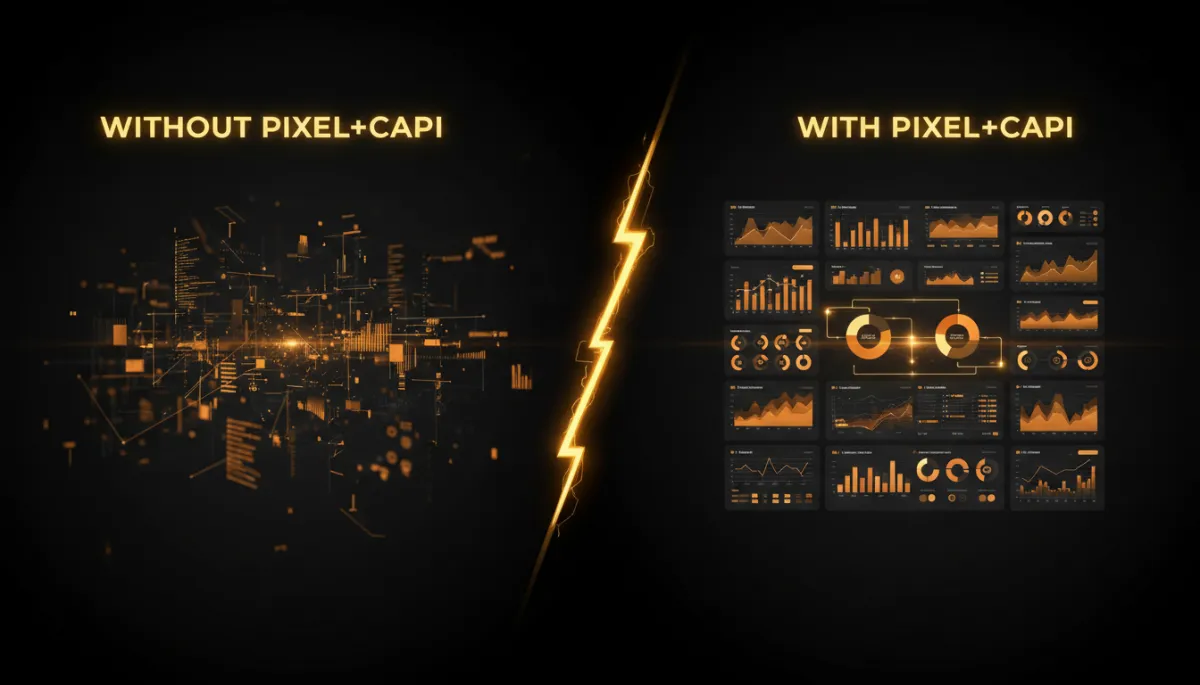
Strong tracking typically cuts acquisition costs and boosts ROAS by double-digit percentages.
There’s another subtle but crucial effect: the learning phase. Meta’s algorithm needs roughly 50 conversion events per week per ad set to exit the learning phase. If your tracking is broken or incomplete, many of those conversions are never reported. Your campaigns stay stuck in “learning limited,” which is basically the platform telling you, “I’m guessing.”
📌 Key Takeaway: Without proper tracking, Facebook’s algorithm enters a learning phase that never truly completes, quietly wasting your budget and hiding which ads actually work.
How Pixel + CAPI Data Supercharge Facebook’s Algorithm
Meta doesn’t care about clicks; it optimizes for outcomes. The more (and better) conversion events you send, the faster the system learns who your ideal customers are. Two concepts matter here:
Event volume: More correctly tracked conversions per week means faster, more stable optimization.
Event Match Quality (EMQ): Meta scores events from 1–10 based on how well they can match them to real users. EMQ above 6.0 dramatically improves performance; advanced accounts aim for 7–8+ on key events.
CAPI lets you pass richer user_data (hashed email, phone, ZIP, etc.), which boosts EMQ and gives Meta more confidence in its modeling. The result: better audiences, lower CPMs, and improved cost-per-result over time.
High-Level Setup Overview: How to Implement Pixel and CAPI
1. Facebook Pixel Setup (Meta Pixel)
In Events Manager, create a new Web data source and copy your Pixel ID.
Add the base Pixel code to your site’s global header (or via Google Tag Manager / your CMS).
Configure standard events (e.g.,
Lead,Purchase) via code or GTM triggers.
2. Meta CAPI Setup
In Events Manager, click Conversions API and choose the one-click setup or manual integration (for developers).
Generate a system user access token and store it securely (environment variables, secret manager).
From your backend (checkout, CRM, lead system), send server-side events with a shared
event_idthat matches the browser Pixel event for the same action. This enables deduplication.Use the Test Events tool in Events Manager to confirm events are received and deduplicated correctly.
⚠️ Warning: If you send Pixel and CAPI events without matching event_id, Meta may double count conversions. Always implement deduplication logic.
FAQ: Common Questions About Facebook Pixel and CAPI
1. Do I really need Facebook Pixel before ads, or can I add it later?
Technically, you can add it later, but you’ll lose all historical data and optimization benefits for the period before installation. You’ll also miss retargeting audiences that would have been built from day one. For any serious campaign, set up the Meta Pixel before you launch your first ad.
2. Is Conversions API Facebook only for big brands?
No. In 2026, CAPI is effectively mandatory for any business that cares about ROAS. Meta even offers one-click CAPI integrations for many ecommerce platforms and CRMs. Small and medium businesses benefit the most because every wasted dollar hurts more at smaller budgets.
3. Will Pixel + CAPI violate user privacy?
When implemented correctly, no. User identifiers are hashed, and Meta provides tools like Aggregated Event Measurement to respect consent preferences. You should always update your privacy policy, honor local regulations (GDPR, CCPA), and only send data you’re allowed to process.
4. How do I know if my Facebook ads tracking is working correctly?
Use the Meta Pixel Helper browser extension, the Test Events tab in Events Manager, and compare Meta-reported conversions to your backend numbers. Event Match Quality scores above 6–7 are a good sign. Large unexplained gaps or double counting usually mean a setup issue.
5. What happens if I just run ads without any tracking?
You’ll see clicks and impressions, but you won’t know which campaigns, ad sets, or creatives actually drive revenue. Meta’s algorithm will optimize for surface-level metrics instead of real business outcomes. In practice, you’ll spend more, learn less, and hit a performance ceiling very quickly.
Stop Gambling. Start Engineering Your Facebook Ad Results.
With Pixel and CAPI in place, every ad dollar becomes a measurable experiment.
Running Facebook ads without a Pixel and CAPI is like gambling. Running them with a Pixel and CAPI is marketing. As a developer, I see this as the difference between throwing random code into production and shipping with logging, monitoring, and tests. One is chaos; the other is controlled iteration.
If you’re about to launch or scale campaigns, make this your non‑negotiable first step: implement Meta Pixel + Meta CAPI correctly, verify events, and only then turn on spend. You’ll recover 20–40% of “invisible” conversions, give the algorithm the 50+ weekly events it needs, and unlock 20–30% better ROAS over time.
At First Due Media, we treat tracking like infrastructure, not an afterthought. If you want your Facebook ads to run like a well‑engineered system instead of an expensive casino, get your Facebook Pixel setup and Facebook CAPI integration done before you spend another dollar. Then, and only then, start scaling with confidence.


